Explore the nuanced capabilities of Curves in Lightroom and discover key adjustments to enhance your photographic edits effectively.
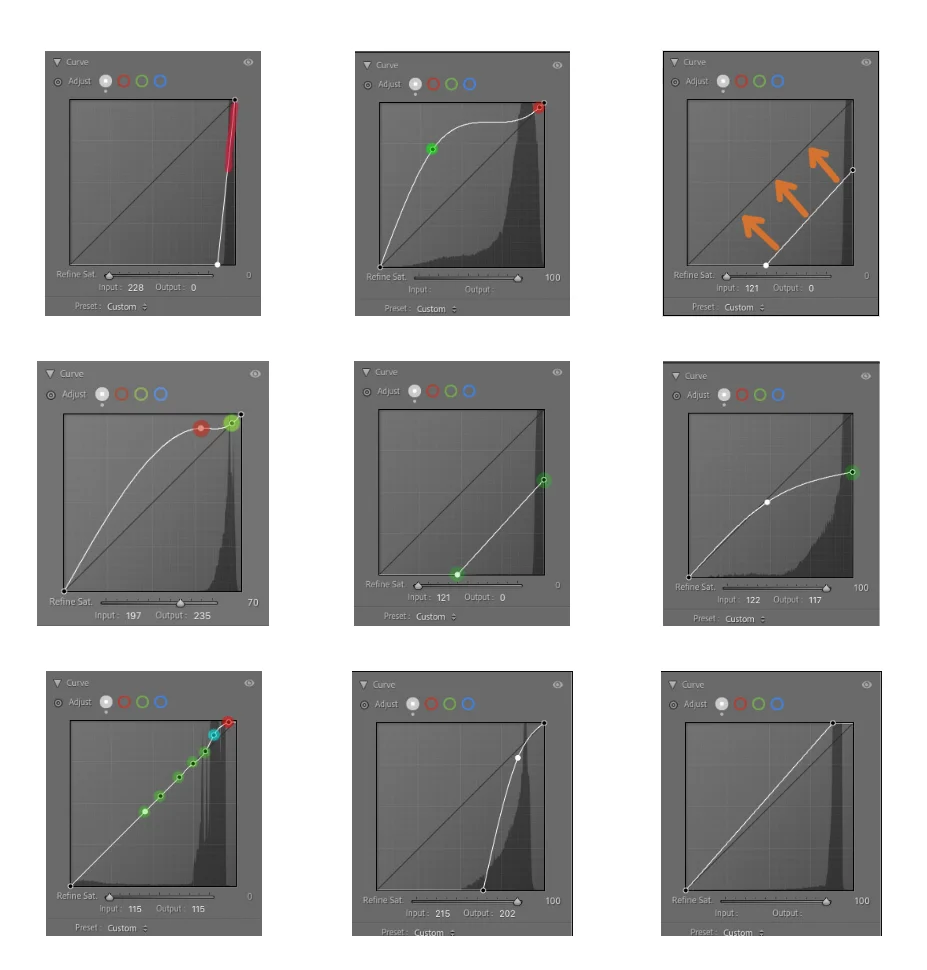
Curves are a vital tool in image editing, akin to playing a musical instrument where every adjustment contributes to the overall composition. As an advanced technique, utilizing Curves effectively can elevate your photography, offering a depth and precision that other tonal adjustment tools often lack. In this exploration, we’ll delve into the latest advancements in the Curves function within Lightroom and how to make the most of this powerful interface.
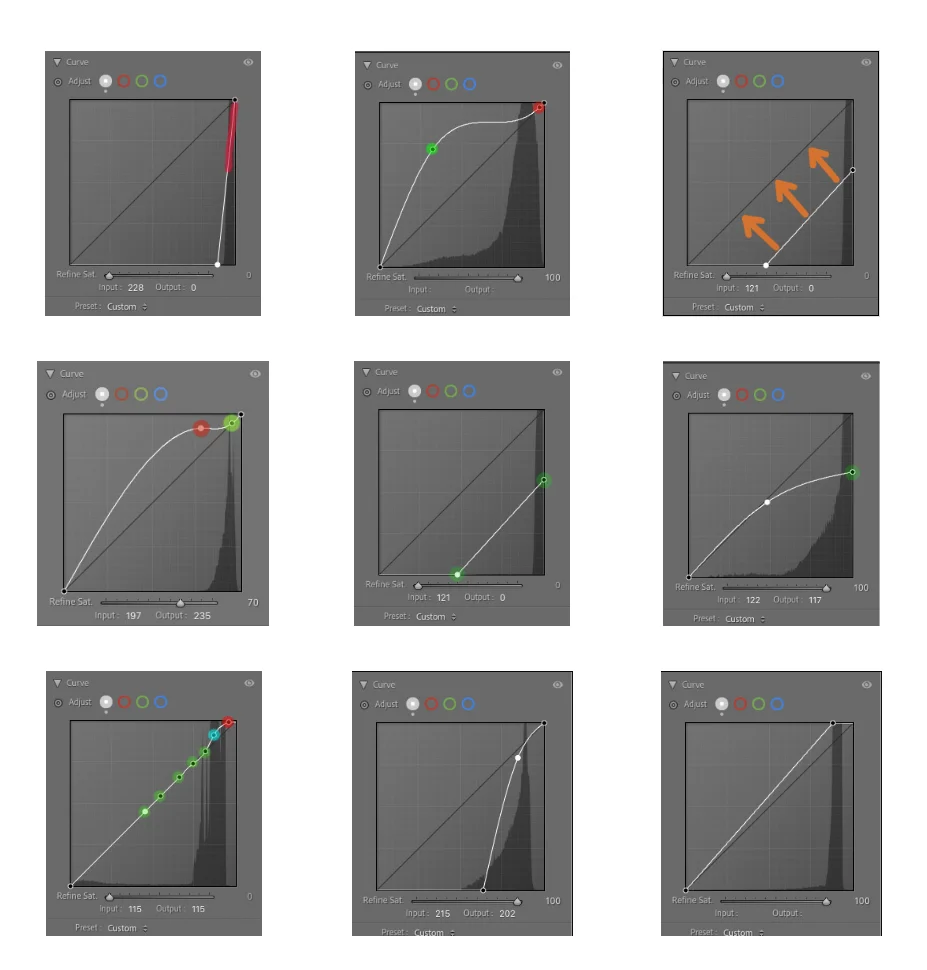
The Significance of Curves in Lightroom
Curves allow for highly nuanced control over the tonal range of an image, affecting highlights, midtones, and shadows separately. For many photographers, mastering Curves can feel daunting at first, but over time, it becomes an essential component of their editing workflow. This transition is often compared to learning an instrument: you may start by playing a few basic songs, but with practice, you create intricate melodies through complex compositions.
Understanding how to manipulate the RGB channel settings in Curves is crucial. For instance, by adjusting the curve upward in the highlights, you can enhance brightness, while lowering it in the shadows can deepen the tones and create a richer image. This combination allows photographers to craft their unique style while effectively managing tonal issues, which can evolve over years of practice.
Common Curve Adjustments
In my journey spanning two decades, I’ve developed a repertoire of curve adjustments that I frequently employ to tackle various photographic challenges. Here are some common adjustments you should become familiar with:
- Brightness and Contrast: A simple way to increase the overall brightness is to lift the lower part of the curve, while you can lower the midsection to enhance contrast effectively.
- Channel Adjustments: Each RGB channel can be adjusted independently. For example, enhancing the Red channel while adjusting the Blue channel downwards can create beautiful color balance in landscapes and portraits.
- Creating Mood: By adjusting the curve in an 'S' shape, you can create more depth in your images, heightening the drama or softness of the photograph based on your needs.
These adjustments aren't exhaustive; they represent just a fraction of the possibilities. The adaptability of Curves means that you can experiment with combinations that suit your artistic vision.
Translating Knowledge for Lightroom Users
Due to the powerful features present in Adobe Lightroom, it’s essential that photographers maximize their understanding of the Curves tool. Originally, my 'Advanced Curves' e-Book was crafted for Photoshop users. Observing the need for a tailored resource for Lightroom enthusiasts, I decided to translate this knowledge into a more accessible format for them.
The updated edition emphasizes similar principles found in the Photoshop version, offering Lightroom users tailored instructions to navigate and manipulate the Curves tool effectively. Details regarding their implementation will enhance your editing workflow and inform on how to recognize and rectify tonal issues in real-time.
Practical Exercises for Mastery
To truly master Curves in Lightroom, it’s valuable to engage in practical exercises. Here are steps to follow that can aid in developing your skill:
- Select a Range: Open a photo with obvious tonal discrepancies. Identify areas where highlights or shadows seem lacking.
- Create a Base Curve: Start with a neutral curve, then make incremental adjustments. Focus first on the highlights, then on shadows.
- Analyze the Changes: After each adjustment, observe how the overall image transforms. This comparison is critical to understanding the Curves tool's impact.
- Repeat with Different Images: Try various images to apply your newfound knowledge across different lighting conditions and subjects.
These exercises reinforce your ability to see tonal issues, allowing you to make informed adjustments rather than instinctual ones based on trial and error.
Wrap-Up Thoughts
As you embark on or continue your journey with Curves in Lightroom, remember that proficiency doesn’t happen overnight. It requires consistent practice, experimentation, and a willingness to learn from both successes and failures. With the right training and patience, you’ll unlock a level of mastery with Curves that enhances both your images and your personal style.
In closing, as I finalize the last few details of my e-book for Lightroom users, I hope these insights inspire you to explore the depth of this remarkable tool. Keep pushing your boundaries, and remember, every adjustment is a step towards refining your unique photographic voice.